When you buy a new smartphone, you want to download many apps and other stuff there is always a setup process provided to you by the mobile company itself but if you feel that that process is preety much intimidating you can follow the steps that given below.
Here I will guide you how to activate devices that use the android operating system.
Steps to activate your Android Mobiles :-

Step 1 : The first step is to insert a SIM Card in your new Android mobile. After that you have to switch on your mobile.

Step 2: After the mobile is switched on the first thing is to choose the language which you are comfortable in and click the Get Started option.

Step 3: After you choose your language the you will be prompted for another option whether to keep your data and apps from your previous mobile ie. Restore your data or you can make a new start ie. Set up your mobile as a new handset. After you select the first option you will be redirected to the following block.


Step 4: Setting up Data Connection. Next you are prompted to select which Wi-Fi connection you want to connect elese you can connect to your data connection also.

Step 5: Adding your Google Account . If you have your google account you can use it to log in to your device by entering required email address and its password else you can create a new account by clicking on ‘ Create a new account ‘ and then login to your device with the newly created account.
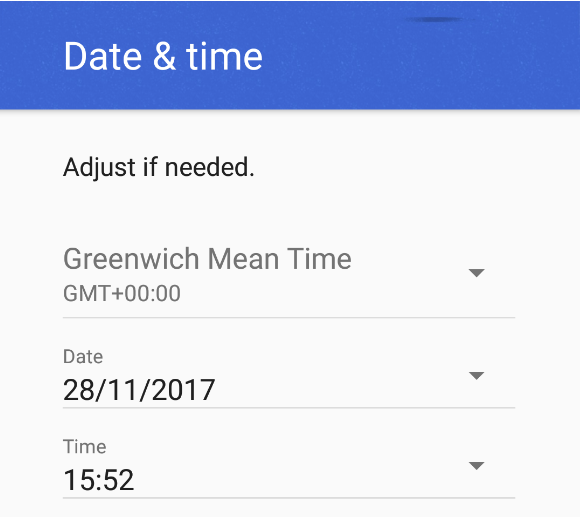
Step 6: Setting Date and Time. After your Google account is set the next step you can do is adjust the Date And Time according to your timezone

Step 7: After you set up Date and Time and if your device has the device locking system then you would be prompted to set a password or a fingerprint.

Step 8: If you have Google Assistant in your device you will be instructed to set it up accordingly.
After you perform the above steps to setup your device and you are done with all the steps , you are ready to use your device !!!
 Device Activator